MY ROLE
UX/UI Designer
DURATION
12 weeks
TOOLS
Figma, FigJam, Maze
PLATFORMS
Mobile App
Please get in touch if you want to access this file
Independent Project · Freelance · 2026
Digital Garden
for
relationships
A digital garden to nurture, grow, and keep track of your relationships over time.
Mobile App
Summary
What I achieved
User groups
0
User interviews conducted across different age groups and relationship types.
Weeks of work
0
End-to-end UX work from research through to a full design system
ASSETS
0
Original illustrations and logos created by hand, designed for both light and dark mode.
Problem Framing
Relationships lost in
the noise of life
Before any design decisions were made, I needed to fully understand the problem space and the people I was designing for.
01
Fragmented services
Users navigated six disconnected platforms to complete basic daily tasks.
02
Emotional friction
Guilt, nervousness, and uncertainty stopped people from reaching out, even when they genuinely cared.
03
No consistent habits
Most users had no routine for staying in touch, relying instead on random moments or life triggers.
04
Intrusive reminders
Existing apps sent notifications that felt demanding, so users turned them off entirely.
05
One-sided effort
The feeling that reconnecting was always their responsibility left people hesitant and emotionally drained.
06
Five user types, one solution
Friends, family, couples, long-distance, and acquaintances all needed a different kind of care.
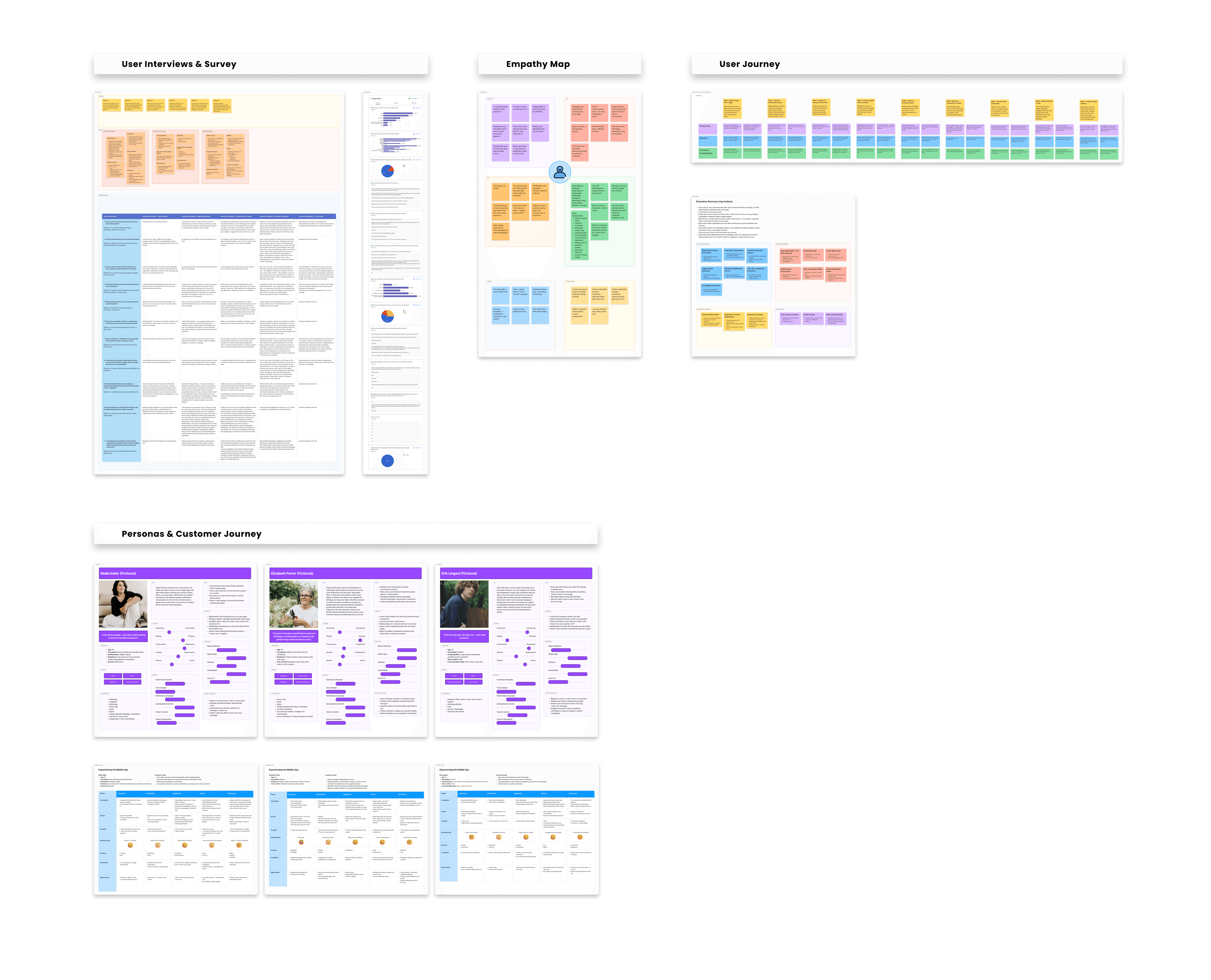
To understand how people maintain relationships over time, I conducted user interviews, empathy mapping, persona development and user journey mapping.
My Role
My place in the project
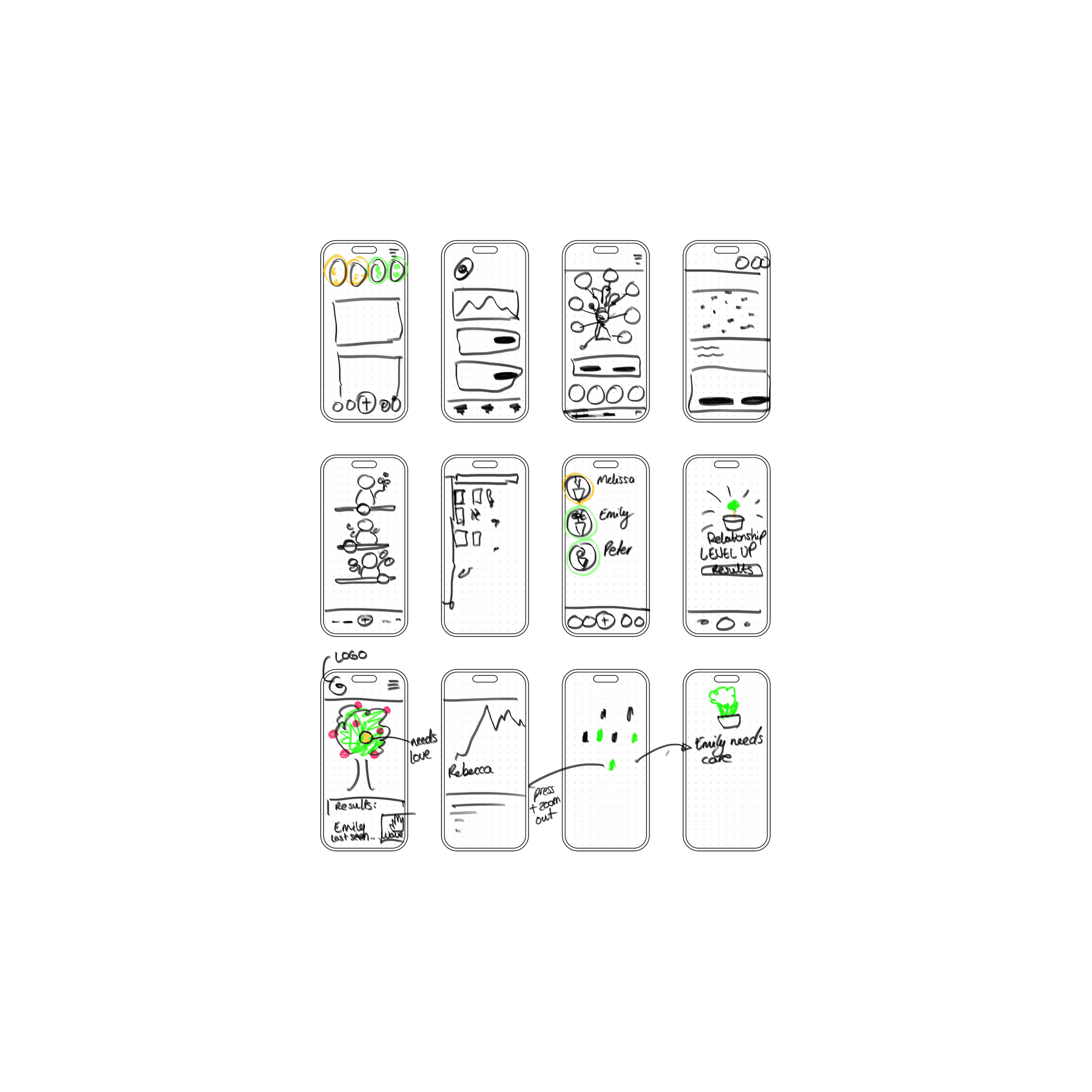
This was a freelance project I took on independently. I handled everything from planning and research through to UI design, illustrations, and a full mobile prototype, covering both light and dark mode. Here's a look at my early thinking
Independent Project · Freelance · 2026
Digital Garden
for relationships
A digital garden to nurture, grow, and keep track of your relationships over time.
Please get in touch if you want to access this file
MY ROLE
UX/UI Designer
TOOLS
Figma, FigJam, Maze
DURATION
12 weeks
PLATFORMS
Mobile App
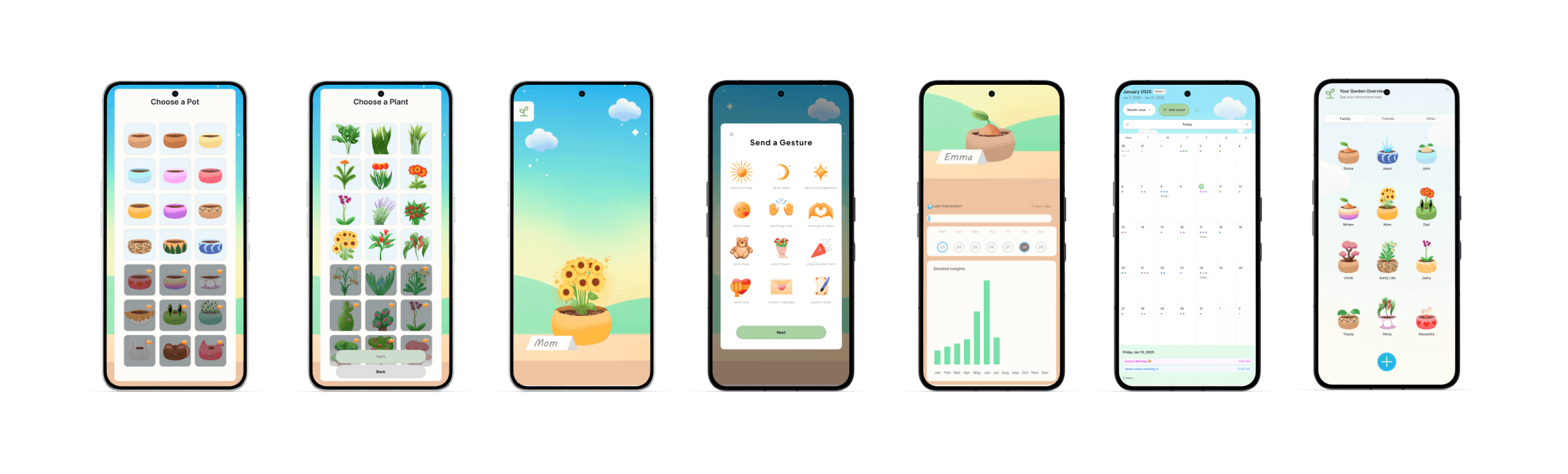
Mobile App
Summary
What I achieved
User groups
0
User interviews conducted across different age groups and relationship types.
Weeks of work
0
End-to-end UX work from research through to a full design system
ASSETS
0
Original illustrations and logos created by hand, designed for both light and dark mode.
The Problem
Relationships lost in
the noise of life
Before any design decisions were made, I needed to fully understand the problem space and the people I was designing for.
01
Fragmented services
Users navigated six disconnected platforms to complete basic daily tasks.
02
Emotional friction
Guilt, nervousness, and uncertainty stopped people from reaching out, even when they genuinely cared.
03
No consistent habits
Most users had no routine for staying in touch, relying instead on random moments or life triggers.
03
Emotional friction
Guilt, nervousness, and uncertainty stopped people from reaching out, even when they genuinely cared.
04
Intrusive reminders
Existing apps sent notifications that felt demanding, so users turned them off entirely.
05
One-sided effort
The feeling that reconnecting was always their responsibility left people hesitant and emotionally drained.
06
Five user types, one solution
Friends, family, couples, long-distance, and acquaintances all needed a different kind of care.
To understand how people maintain relationships over time, I conducted user interviews, empathy mapping, persona development and user journey mapping.
My Role
My place in the project
This was a project I took on independently in collaboration with my brother. I handled everything from planning and research to UI design, illustrations, brand and logo development, and a full mobile prototype covering both light and dark mode. Here's a look at my early thinking.
Approach
Research first, design after
Research first,
design after
Step 1 of 5 · Define
Challenges
Design decisions that mattered
01
Designing for emotional complexity
Relationship care is deeply personal. The app had to reflect that without feeling intrusive, judgmental, or like another productivity tool.
02
Accessibility across all ages
The app had to work for users aged 16 to 65+, with varying levels of digital confidence and completely different relationship contexts.
03
Translating research into product decisions
Five interviews, surveys, and extensive synthesis had to be distilled into clear feature priorities and a focused product scope.
04
End-to-end solo execution
Every phase was handled independently, from research and UX strategy through to UI design, illustrations, and a full mobile prototype.
Solution
All relationships
in one garden
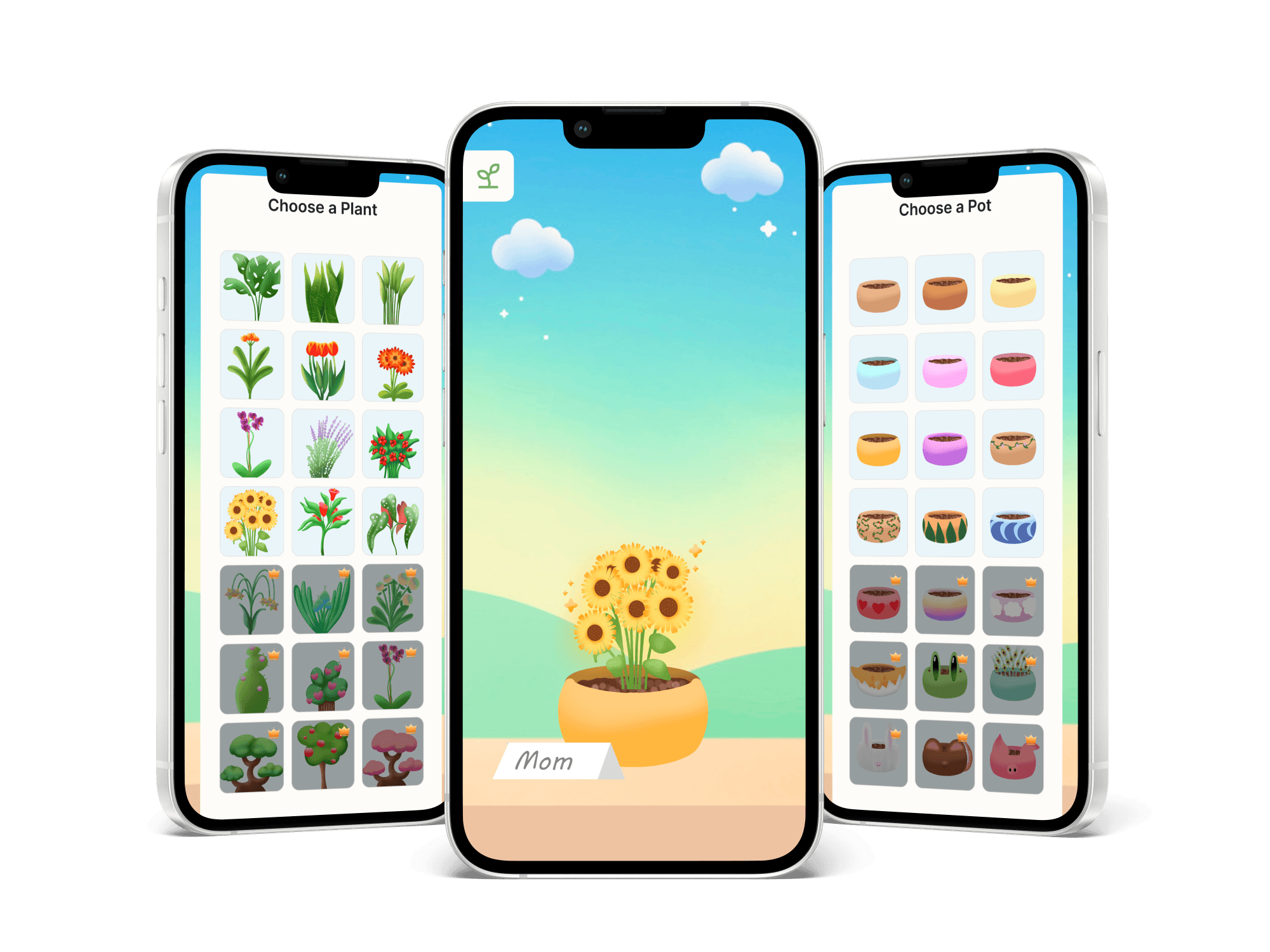
The final app gives users a living visual overview of their relationships, organised into circles and represented as plants. Each plant reflects the health of that connection over time. I also designed a full light and dark mode, with over 60 original illustrations to bring the garden to life.
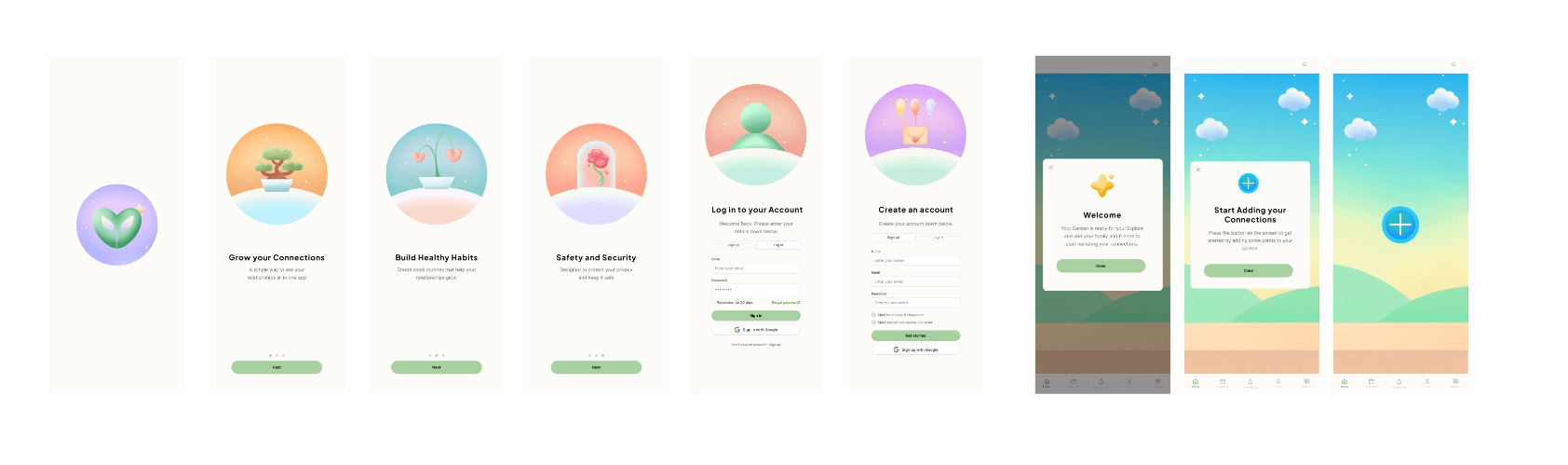
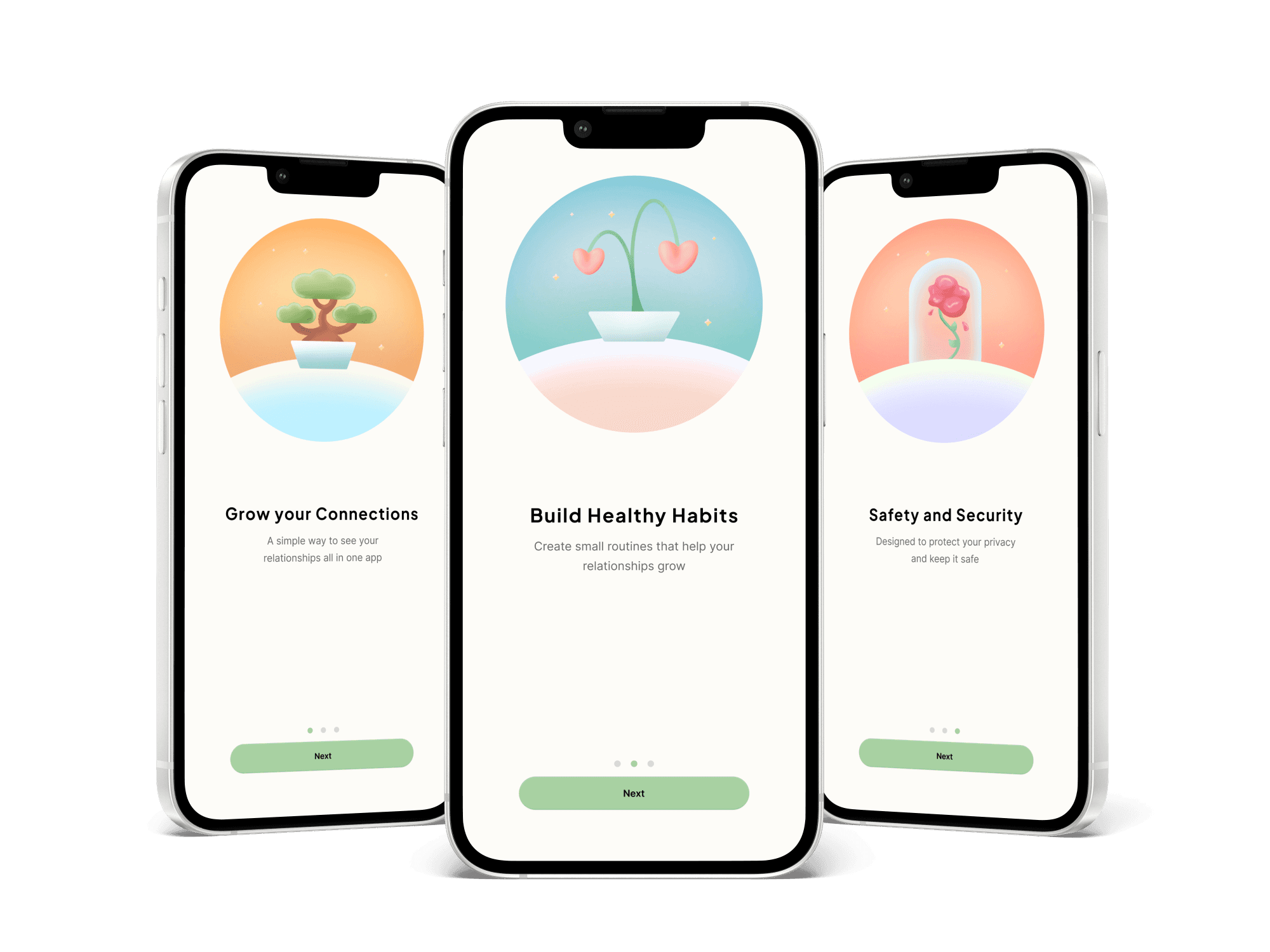
Onboarding
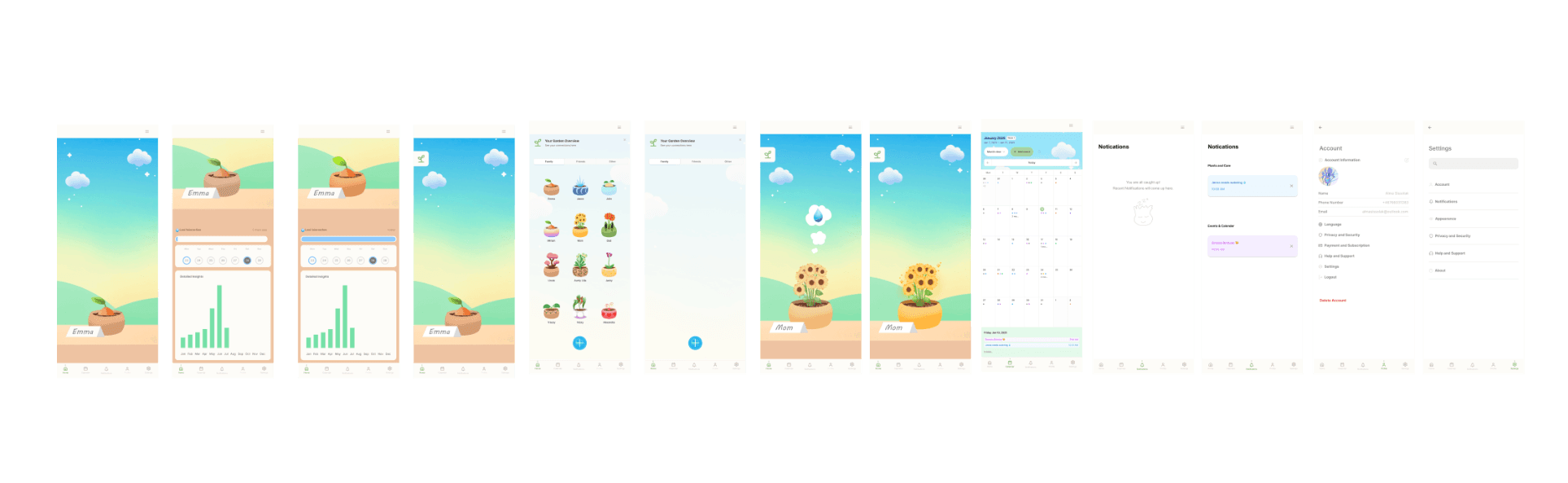
Features
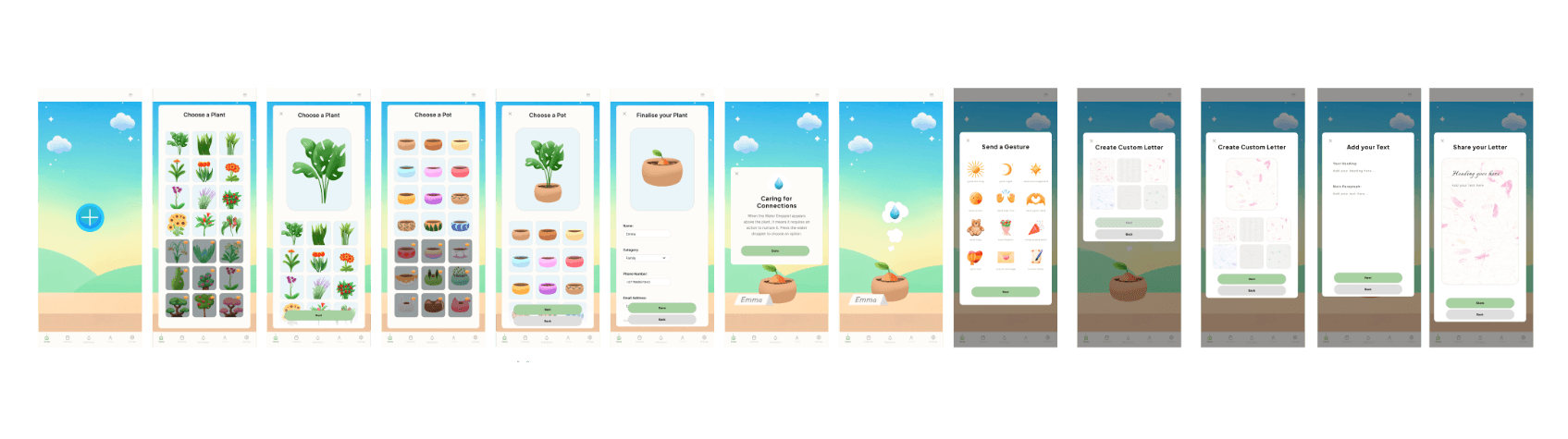
Customise your plants
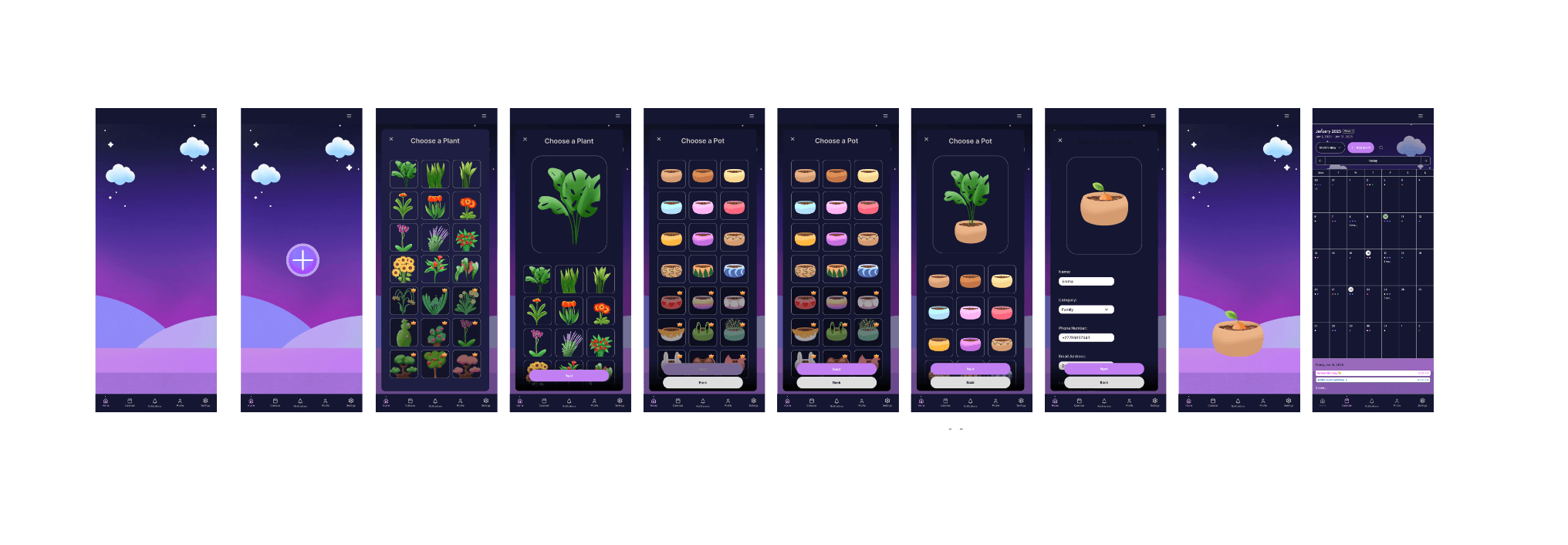
Dark Mode
Results and Impact
Results and Impact
Next Steps
Where this goes from here
The foundation is in place. The next phases focus on testing with real users, expanding the garden experience, and building toward a live product that people genuinely want to return to.
Please get in touch if you want to access this file
Challenges
Design decisions that mattered
01
Designing for five audiences simultaneously
Every decision had to work across five distinct user groups, each with different needs, behaviours, and levels of digital literacy, without creating friction for any of them.
01
Designing for emotional complexity
Relationship care is deeply personal. The app had to reflect that without feeling intrusive, judgmental, or like another productivity tool.
02
Accessibility across all ages
The app had to work for users aged 16 to 65+, with varying levels of digital confidence and completely different relationship contexts.
03
Translating research into product decisions
Interviews, surveys, and extensive synthesis had to be distilled into clear feature priorities and a focused product scope.
03
Translating research into product decisions
Five interviews, surveys, and extensive synthesis had to be distilled into clear feature priorities and a focused product scope.
04
End-to-end solo execution
Every phase was handled independently, from research and UX strategy through to UI design, illustrations, and a full mobile prototype.
Approach
Research first, design after
Step 1 of 5 · Define
Curious about how I work? Check out my design workflow.
Solution
All relationships
in one garden
The final app gives users a living visual overview of their relationships, organised into circles and represented as plants. Each plant reflects the health of that connection over time. I also designed a full light and dark mode, with over 60 original illustrations to bring the garden to life.
Onboarding
Features
Customise your plants
Dark Mode
Solution
All relationships
in one garden
The final app gives users a living visual overview of their relationships, organised into circles and represented as plants. Each plant reflects the health of that connection over time. I also designed a full light and dark mode, with over 60 original illustrations to bring the garden to life.
Onboarding
Features
Customise your plants
Dark Mode
Results and Impact
Results and Impact
Next Steps
Where this goes from here
Where this goes from here
The foundation is in place. The next phases focus on testing with real users, expanding the garden experience, and building toward a live product that people genuinely want to return to.
© 2026 Alma Sissolak
© 2026 Alma Sissolak
UX/UI Designer & Illustrator
UX/UI Designer & Illustrator